See what's eating your Mac.

A native disk cleaner for developers. It names every folder in plain English, marks what's actually safe, and moves it to the Trash — where you can put it back until you empty it.

Version
—
Size
—
Requires
macOS 14+ · arm64
Licence
MIT
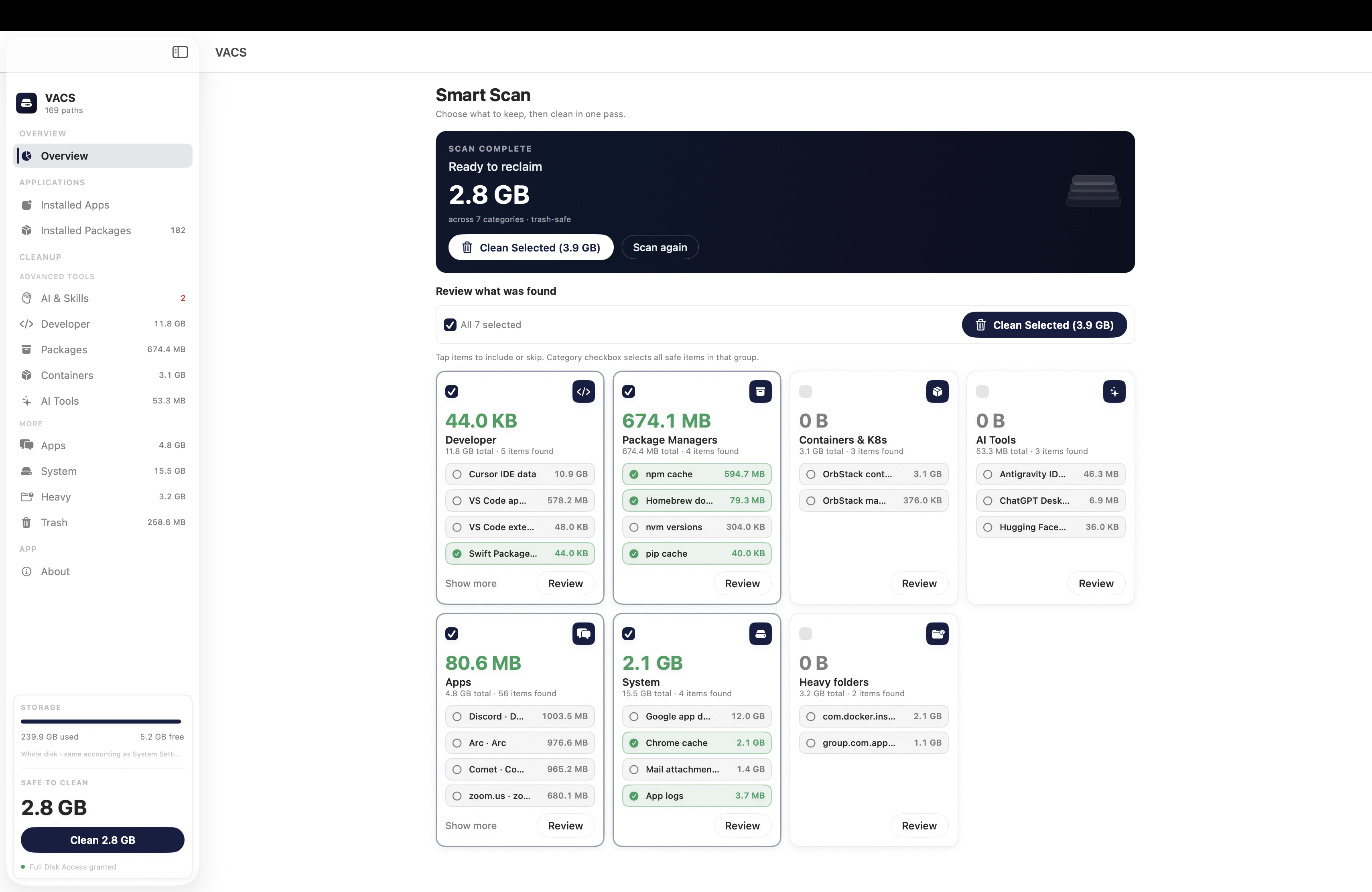
VACS after a scan: 2.0 GB ready to reclaim, with per-category review cards for Developer, Package Managers, Containers, AI Tools and more.
A real scan · 2.0 GB safe to reclaim
96 audited paths 8 scan categories 0 network requests Trash by default

Scan once. Read what it found. Keep what you want.

Three screens do the whole job. These are real captures, not mockups.

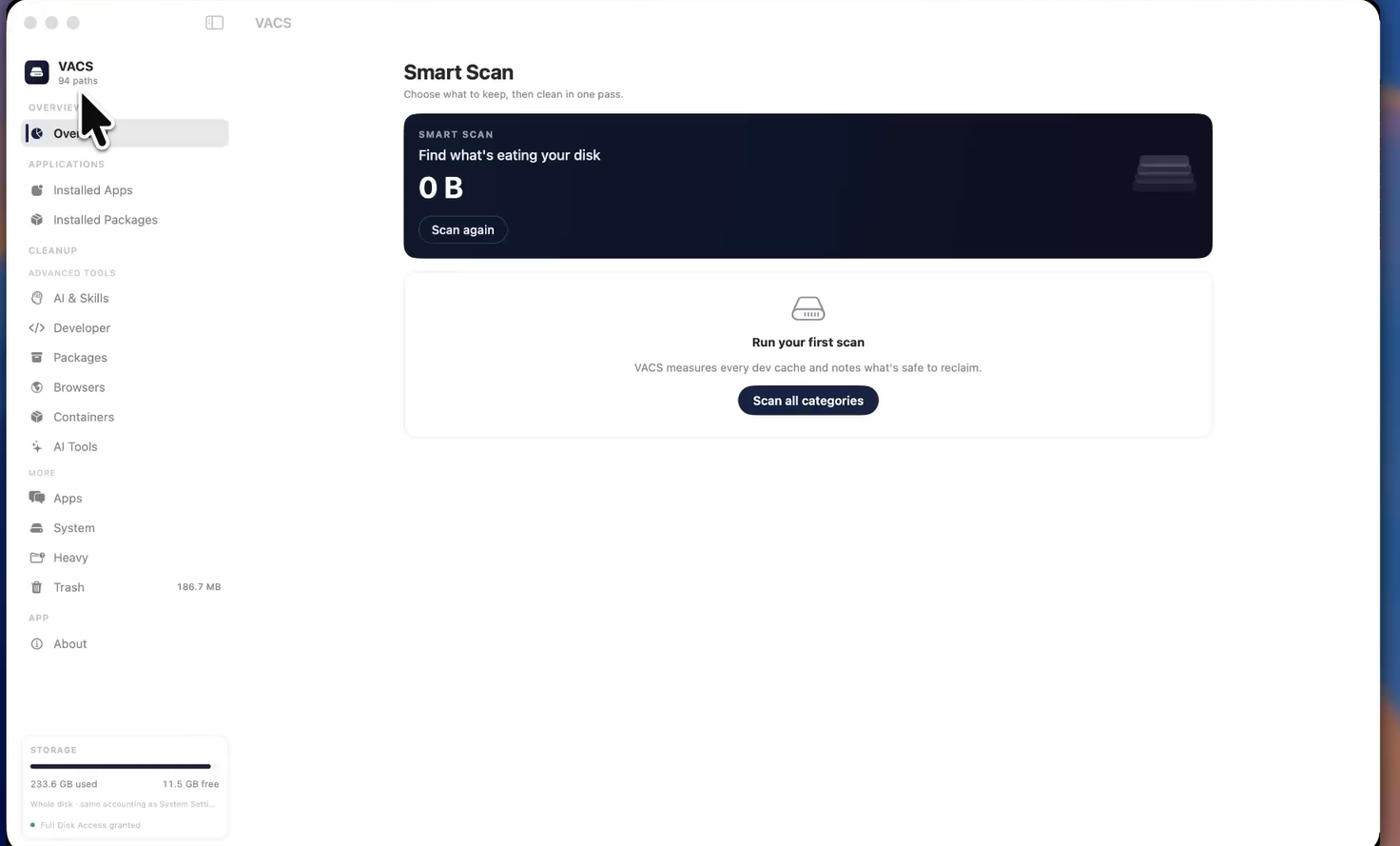
The VACS Overview screen: a sidebar of categories down the left, the Smart Scan panel on the right.

One pass across everything.

Smart Scan sweeps every category and returns a single reclaimable total, broken down into review cards. Tick the categories you trust, leave the rest, clean in one pass.

Developer · Packages · Browsers · Containers · AI Tools · Apps · System · Heavy
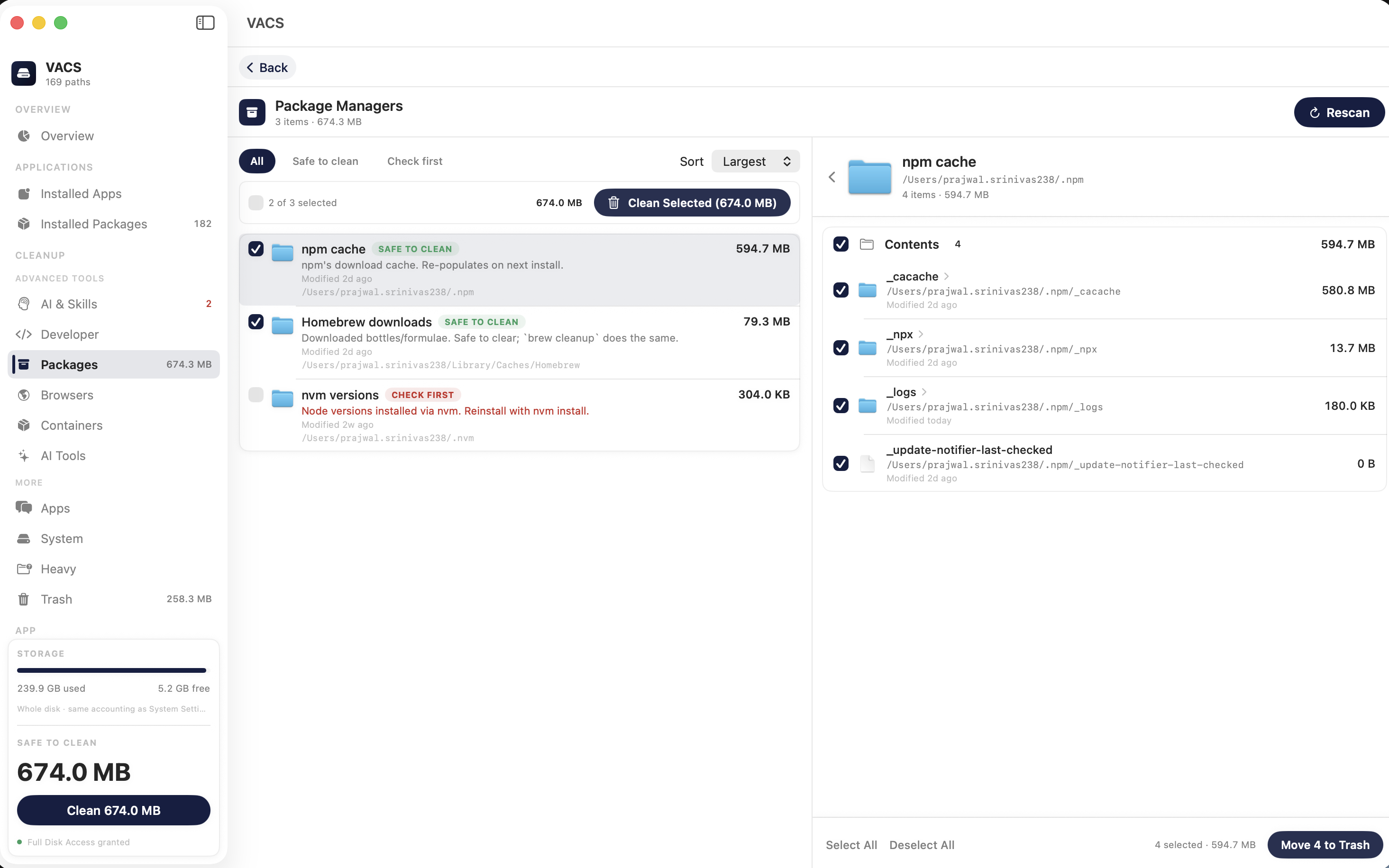
Package Managers detail view: Homebrew downloads, pip cache, uv cache and npm cache each labelled SAFE TO CLEAN with a plain-English note, and nvm versions labelled CHECK FIRST.

Every row explains itself.

No folder is listed without a reason. “Downloaded bottles/formulae. Safe to clear; brew cleanup does the same.” You get the path, the size, the last-modified date, and the call.

nvm versions → check first — reinstalling Node takes a while.

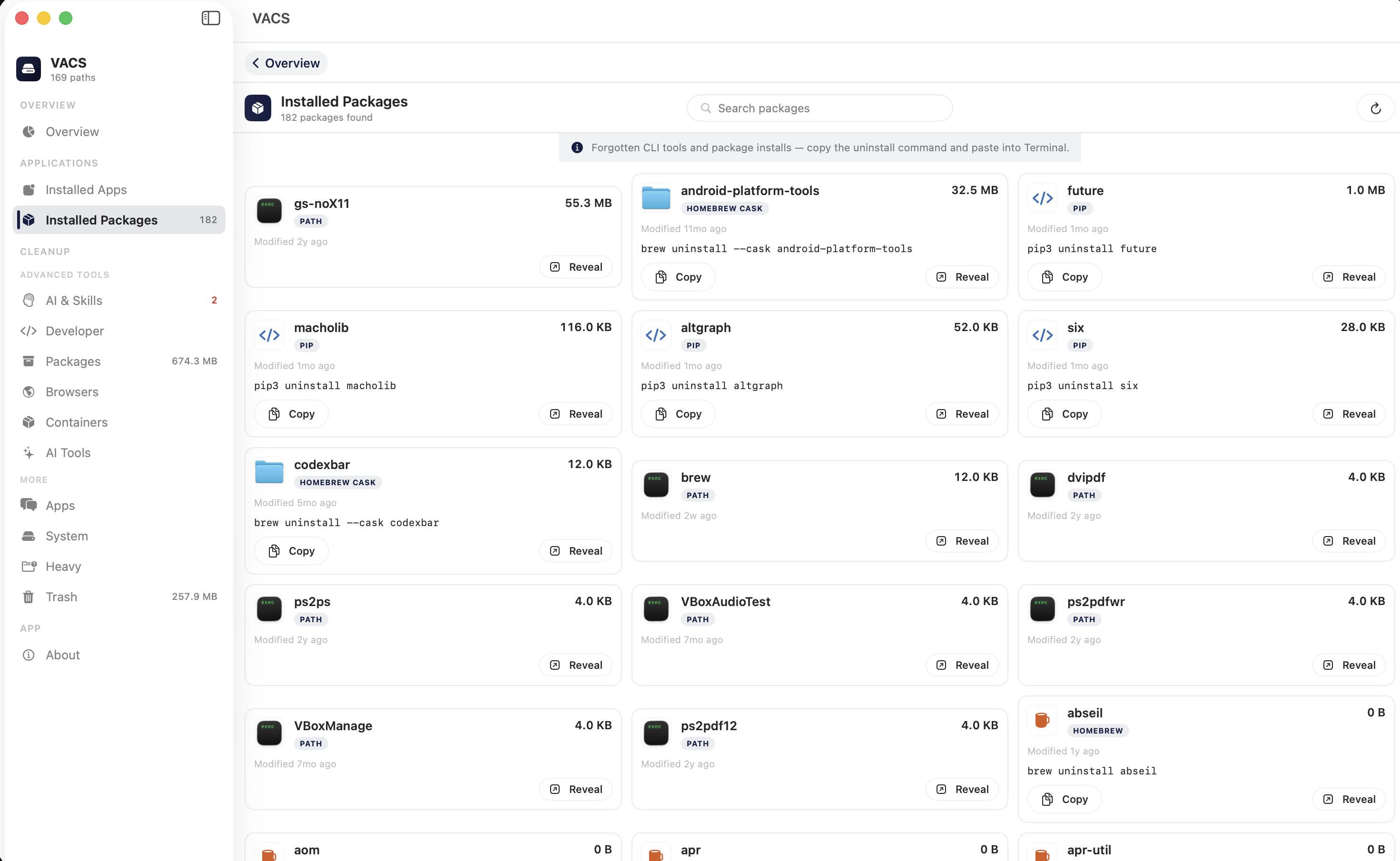
Installed Packages view listing globally installed binaries in a grid, each with a copy-command action.

Drill down to the file.

Open any folder and keep going until you hit real files. Installed apps expose their caches, containers, preferences and logs; installed packages hand you the correct uninstall command for the clipboard.

pip uninstall torch · brew uninstall — copied, not run.

Four levels. Nothing is silently erased.

Every rule in the file carries one of these. The level decides what the interface will even offer you.

  1. safe

    One click, straight to the Trash.

    Regenerated automatically by the tool that made it.

    ~/Library/Developer/Xcode/DerivedData
  2. check first

    Confirm, with the reason shown.

    Safe to remove, but you'll pay to rebuild or re-download it.

    ~/go/pkg/mod
  3. command

    You get the command. There is no delete button.

    VACS refuses to touch a live VM disk. It copies the official command instead.

    docker system prune -a
  4. never

    Measured, never offered.

    Shown so the number adds up. No action exists for it.

    system-critical paths

Normal cleanup moves items to the macOS Trash. Permanent deletion happens only when you choose Delete Permanently or Empty Trash inside the Trash view — and no step anywhere asks for sudo.

How it compares.

Against the open-source Mac cleaners developers actually use — including the two things VACS deliberately doesn't do.

Feature comparison between VACS and other Mac disk cleaners
Feature PureMacPurgeClearDisk CacheoutSweepMintify VACS
Open auditable rules file—partial————rules.json
Known dev cache paths~40broad6315partialpartial96
Docker real size (sparse/APFS)———yes——yes
Copy CLI instead of deleting—partial————yes
DerivedData per-project breakdownpartial—yes———yes
Plain-English per-item notespartialyesyespartial——yes
Full app uninstalleryes————yesyes
Duplicate finder—————yesno
Large files finderyesyesyes—yesyesno
LicenceProprietaryProprietaryMITProprietaryProprietaryProprietaryMIT
The full matrix — 60+ rows

Install.

Four steps, about a minute. macOS 14 Sonoma or later on Apple Silicon.

  1. 1.0

    Download the disk image.

    Built from the tagged commit and attached to the GitHub release.

    VACS.dmg

    latest release

  2. 2.0

    Drag VACS.app into Applications.

    Open the DMG and drop it in. Then eject the image.

  3. 3.0

    Clear the quarantine flag on first launch.

    Builds are ad-hoc signed, not Apple-notarized — that needs the $99/year Developer Program. Right-click the app and choose Open, or run this once:

    Terminal

    xattr -cr /Applications/VACS.app
  4. 4.0

    Grant Full Disk Access, then scan.

    System Settings → Privacy & Security → Full Disk Access → enable VACS. macOS protects ~/Library, so without it the sizes read as zero. Then press Smart Scan on Overview.

Or build it yourself.

Plain swiftc — Command Line Tools only, no Xcode project, no package manager.

Terminal

git clone https://github.com/prajwal2308/VACS.git
cd VACS
./scripts/build-app.sh --run

→ VACS self-test: OK (96 rules loaded)

Changelog.

Read from the GitHub Releases API when the page loads. Nothing here is copied by hand.

Loading releases…

Every release on GitHub

Fair questions.

Can it permanently delete my files?

Not during normal cleanup — everything moves to the macOS Trash, and Put Back works until you empty it. Permanent deletion only happens if you explicitly pick Delete Permanently or Empty Trash in the Trash view.

Why does macOS say it's from an unidentified developer?

Releases are ad-hoc signed, not notarized — notarization requires Apple's $99/year Developer Program. Right-click → Open once, or run xattr -cr /Applications/VACS.app.

Why does it need Full Disk Access?

macOS shields ~/Library and app container directories from ordinary processes. Without the grant, VACS can't measure the caches that are actually costing you space. It's one toggle, and the app still makes no network calls.

Does it phone home?

No analytics, no update pings, no crash reporting, no cloud. Zero outbound requests — the source is right there if you want to check.

Does it work on Intel Macs?

Release builds target Apple Silicon. On Intel, build from source with ./scripts/build-app.sh.

What does it cost?

Nothing. MIT licensed, and it will stay that way.